
Retrieve API Credentials
If you already have your api_key, client_id, and client_secret, you may skip to Generating an Access Token.
Follow the video demo Creating Your Access Token to learn how to authenticate requests.
Note: We recommend using Postman for testing and developing API requests throughout this documentation.
Follow the steps below to retrieve the credentials required to authenticate with the QuicklySign API.
Step 1: Select an Environment
Use the appropriate environment depending on your needs:
| Environment | Base URL (base_url) |
|---|---|
| Sandbox (Testing) | https://sandboxapi.quicklysign.com/ |
| App (Production) | https://api.quicklysign.com/ |
| Financial (Production) | https://financial-api.quicklysign.com/ |
Step 2: Register or Log In
If you do not yet have an account:
-
Visit:
{base_url}/register -
Create your account.
-
Confirm your email address.
-
You will now be logged in.
Step 3: Navigate to Your API Credentials
-
Click your profile name at the top-right of the screen.
-
Scroll down and select Advanced Settings.
-
Locate your API Key and note it down.
-
On the same page, find Applications and click Applications.
-
Enter an application name.
-
Click New Application.
-
The system will generate:
client_idclient_secret
-
Note down the
client_idandclient_secret.
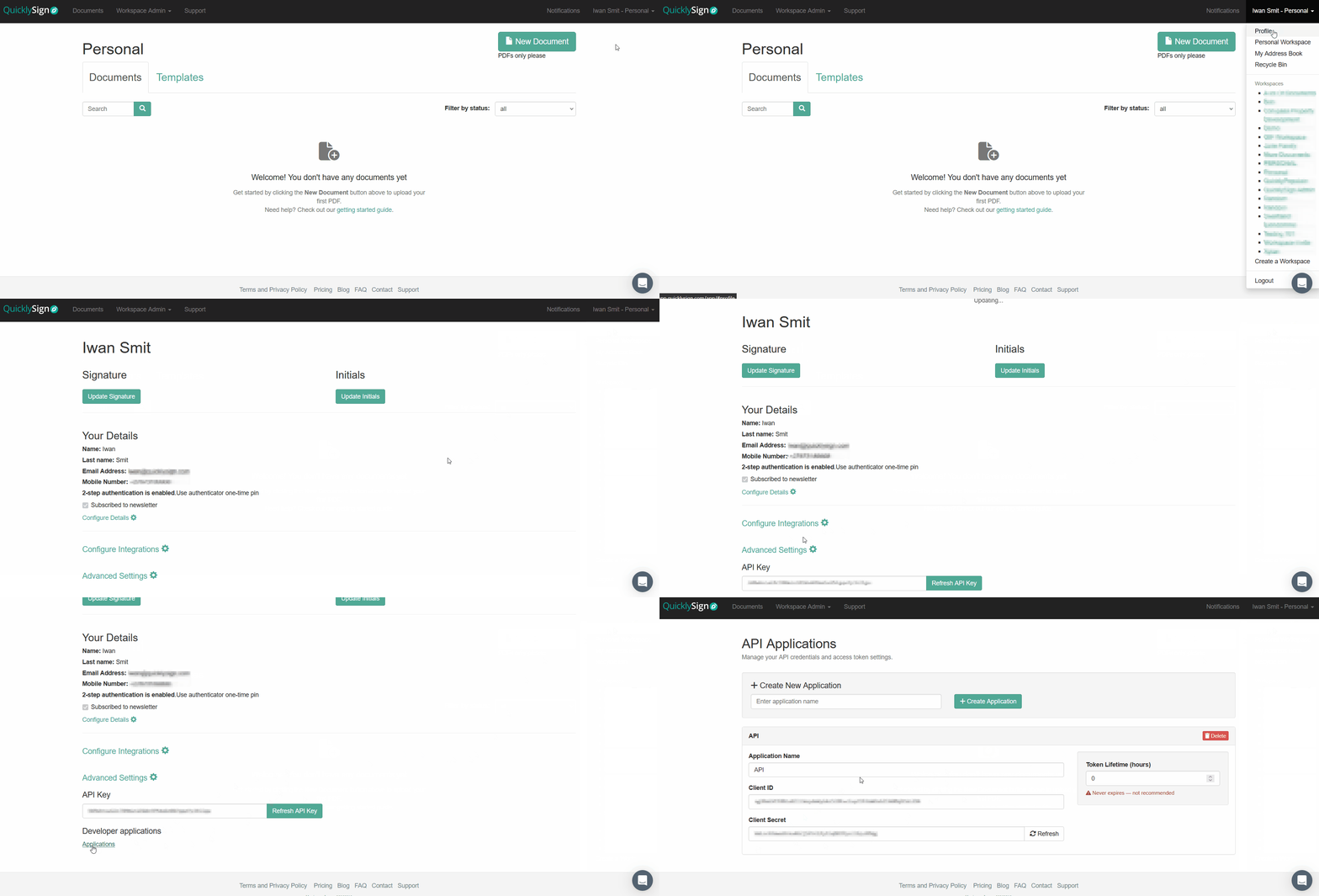
Your Required Credentials
You should now have the following three credentials:
api_key
client_id
client_secret
Updated 8 months ago